
Download 정보통신용어사전 APK – ICT Terminology Dictionary, Korean, Free, Android
Overview
정보통신용어사전 (ICT Terminology Dictionary) is a specialized reference tool developed by the Korea Information and Communication Technology Association (KICTA) and supported by the Ministry of Science and ICT. The software aims to standardize and clarify terminology across key domains including communication, broadcasting, computing, the internet, and information security. Designed for professionals, students, and enthusiasts in the ICT field, it serves as a reliable resource for understanding technical definitions and industry-standard terms.
The dictionary is available exclusively in Korean, making it particularly valuable for Korean-speaking users engaged in technology education, research, or professional work. Its development was funded by the Korea Information and Communication Technology Promotion Agency (NIPA), underscoring its institutional credibility and alignment with national technology initiatives. The application is free to download and use, promoting broad access to standardized ICT knowledge.
It was released on March 1, 2023, and is currently at version 1.0.0. Real-world usage scenarios include academic study, technical documentation, training materials, and workplace reference. The developer did not provide additional system requirements beyond Android compatibility.
Key Features & Capabilities
- Comprehensive ICT Terminology Database – The software includes a wide range of terms from communication, broadcasting, computer systems, internet protocols, and cybersecurity, each accompanied by clear, standardized definitions to support accurate understanding.
- Term Submission System – Users can propose new or emerging terms not yet included in the dictionary. These submissions undergo review and may be added if they meet established criteria, fostering community-driven content expansion.
- Search and Navigation Tools – The application provides search functionality and organized categorization to help users quickly locate specific terms, enhancing usability during study or work.
- Official and Standardized Content – As a government-supported initiative, the definitions are vetted for accuracy and consistency, making it a trusted source for technical communication and education.
- Free Access and Offline Use – The software is available at no cost and does not require an internet connection after installation, enabling reliable use in classrooms, fieldwork, or areas with limited connectivity.
These features make the dictionary suitable for use in academic settings, technical training programs, and professional environments where precise terminology is essential. The ability to submit new terms ensures the content remains relevant to evolving technologies.
User Interface, Workflow & Performance
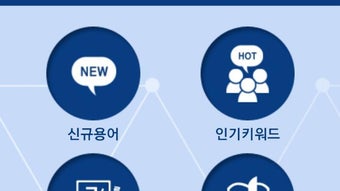
The user interface of 정보통신용어사전 is designed for clarity and ease of navigation, with a clean layout focused on text-based content. Users can browse terms alphabetically or use the search function to locate specific entries quickly. The workflow emphasizes simplicity: open the app, enter a keyword, and view the definition.
This straightforward structure supports efficient information retrieval, especially for users who need rapid access to technical definitions. The developer did not specify resource usage details, so performance behavior in terms of CPU or RAM consumption remains unspecified. However, given the application’s file size of 15.8 MB and its non-graphical, text-focused nature, it is expected to operate smoothly on most Android devices.
Stability and responsiveness appear to be consistent with typical lightweight reference applications. The developer did not provide performance benchmarks or user feedback data. General software behavior patterns suggest reliable operation without frequent crashes or delays.
Compatibility & System Requirements
정보통신용어사전 is available for Android devices. The current version is 1.0.0, and the installation file size is 15.8 MB. The developer did not provide detailed system requirements such as minimum Android version, processor specifications, or RAM needs.
Compatibility information was partially provided, indicating that the software is intended for mobile platforms. The application is designed for use on smartphones and tablets, but exact compatibility with specific Android versions or device models was not listed. Users are advised to ensure their device supports APK installation and has sufficient storage space.
The developer did not specify whether the software requires an internet connection for updates or core functionality.
Pros and Cons
Pros
- Free to download and use, with no hidden costs
- Officially supported by the Ministry of Science and ICT, ensuring content reliability
- Includes a structured system for submitting and reviewing new terms
- Available offline after installation, ideal for educational and field use
- Compact file size of 15.8 MB, suitable for devices with limited storage
Cons
- Available only in Korean, limiting accessibility for non-Korean speakers
- No detailed system requirements provided, making compatibility assessment difficult
- Missing advanced features such as audio pronunciation or visual illustrations
- No information on update frequency or automatic update support
- Interface may appear minimalistic, potentially lacking customization options
FAQ Section
Is 정보통신용어사전 available for iOS devices?
The software is currently available only for Android devices. There is no information on iOS compatibility or future release plans.
Can I use the dictionary without an internet connection?
Yes, the application can be used offline after installation. No internet connection is required to access the stored definitions.
Is the software safe to download and install?
As a government-supported application developed by the Korea Information and Communication Technology Association (KICTA), the software is considered secure. It is distributed through official channels and does not require excessive permissions.
How often is the dictionary updated?
The update frequency was not specified by the developer. Users should check for updates manually or rely on official announcements from the developer.
What is the license type for this software?
The software is free to download and use. The specific license terms were not disclosed in the provided information.
Final Thoughts + CTA
정보통신용어사전 stands out as a credible, free, and practical reference tool for anyone involved in the ICT sector in Korea. Its official backing by national institutions adds significant trustworthiness to its content, while the term submission system ensures ongoing relevance in a fast-evolving field. Although the interface is minimal and the software is limited to Korean, its compact size and offline functionality make it ideal for students, educators, and professionals who need quick, accurate access to standardized terminology.
The lack of detailed system requirements and advanced features are notable limitations, but they do not detract from its core purpose. For users seeking a reliable, free ICT dictionary, this application delivers strong value. Download 정보통신용어사전 now to access essential technical definitions anytime, anywhere.





.png)

